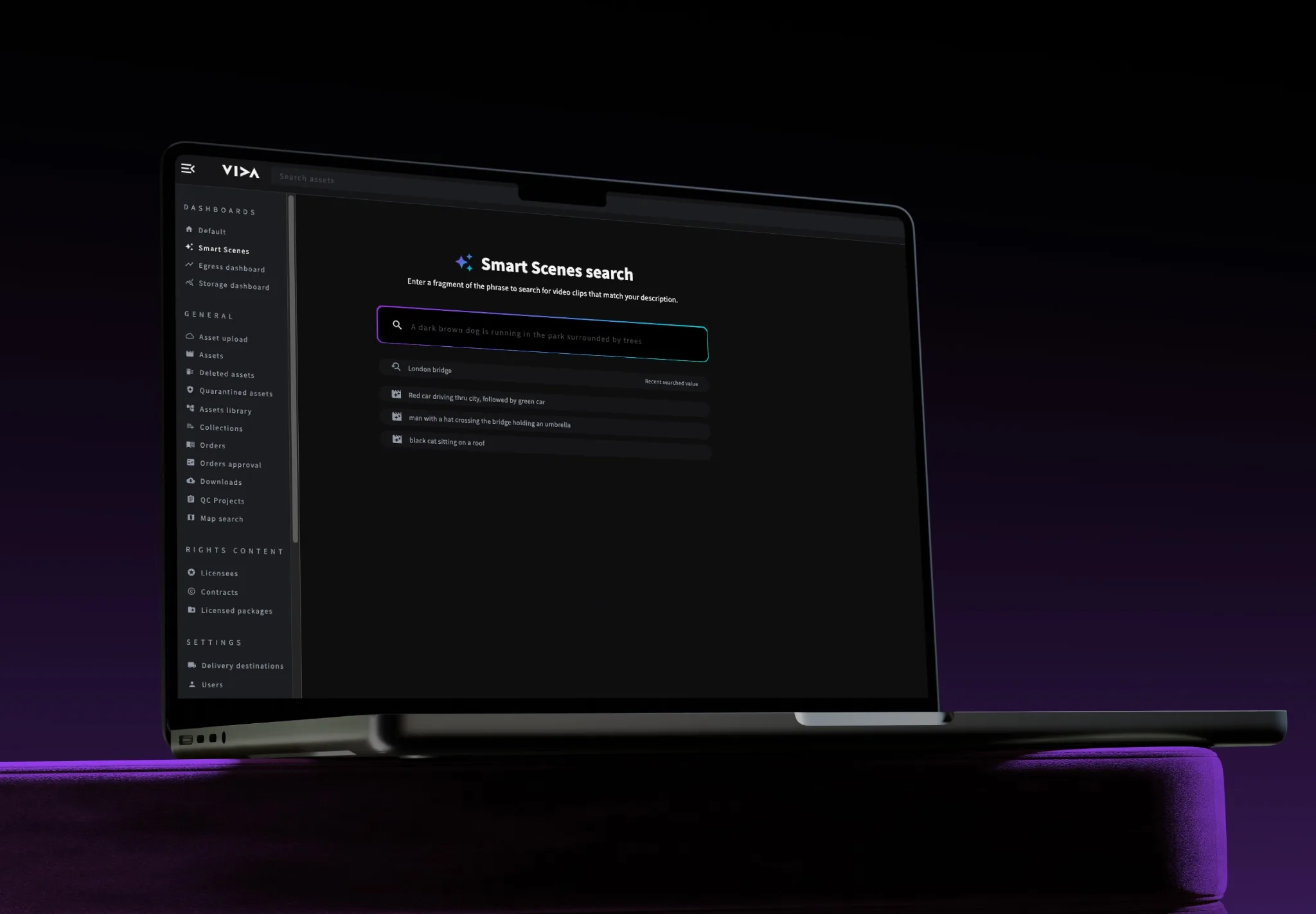
Discover Scene Search

Find any moment in seconds, inside the content itself
Search inside a video, not just around it.

Finding content shouldn't mean watching the whole tape

Producers, researchers, and operations teams regularly need to locate specific moments within large volumes of video content. A news event, a particular interview exchange, a product shot, a scene from an archived series. At scale, that search becomes a meaningful part of the working day. And without the right tooling, it's almost entirely manual.
Book a demo
Scene Search changes how teams navigate video libraries.
Instead of relying solely on asset-level metadata or time code notes to locate content, teams can search directly for what appears on screen, frame by frame, across the entire library. Scene Search is built into VIDA. It indexes video content at the scene level, making individual moments discoverable without manual logging or timecode annotation. The result is a genuine before and after.

Before: someone scrubs through hours of footage hoping
to find the shot.

After: they type what they’re looking for and land on it in seconds.
What is Scene Search?
Search inside video, not just around it. Scene Search is VIDA's in-platform capability for locating content at the scene and frame level, within video assets already held in your library. Rather than relying on what was manually entered into a metadata field at the time of ingest, Scene Search makes the content of your video discoverable directly. Teams can query by visual content, on-screen text, speech, or AI-generated descriptions to surface the specific moments they need. It works within VIDA as a native capability, not an external tool, meaning there is no context-switching, no separate system to log into, and no duplication of assets.

Scene Search core capabilities
Visual content search
‍
Search by what appears on screen. Scene Search indexes visual content across your video library, enabling teams to locate specific scenes, objects, settings, or on-screen actions without manually logging time codes.
Speech and dialogue search
‍
Locate moments by what was said. Speech-to-text indexing makes spoken content queryable, so teams can find an interview answer, a specific line, or a voiceover phrase across hours of material.
On-screen text recognition
‍
Find content that contains visible text, captions, titles, graphics, or lower thirds. Useful for locating branded content, celebrities, compliance-relevant segments, guns and violence or moments tied to a specific title card.
AI-generated scene description
‍
Scene Search uses AI to describe and index what is happening within individual scenes, enabling natural language queries even when no manual metadata exists. Search for a concept and find the content that matches.
Frame-level precision
‍
Results surface the specific moment, not just the asset. Teams are taken directly to the relevant section of a video rather than having to navigate the full clip, which reduces review time and speeds up production decisions.
Searchable across the full library

Scene Search operates across your entire VIDA library, including long-form archives and content that predates structured metadata workflows. The scope of discoverability grows with the library.
Native VIDA capability
‍
Built into VIDA , not integrated from the outside. There is no separate system to manage, no additional login, and no duplication of content to enable scene-level search.
Results linked to asset management

When a scene is found, it is found within the context of the full asset. Teams can act on results directly: clip, export, tag, or route content from the same platform they searched in.
Celebrity and person recognition

Identify specific individuals appearing on screen across your library. Locate footage featuring a particular presenter, contributor, or public figure without relying on manual tagging or programme notes.